
⚛️ A Look at Suspense
TOC
#Definition
Visiting the official React site,
Suspense
Suspenselets you display a fallback until its children have finished loading.
is how it's defined.
Let me put together a simple example.
#Sample code
const fetchData = () => {
  let status = "pending";
  let result, promiseErrorResult;

  let promiseResult = fetch("https://jsonplaceholder.typicode.com/todos")
    .then((response) => {
      if (!response.ok) {
        if (response.status === 404) {
          throw new Error(`bug in the request ${response.status}`);
        }
      }
      return response.json();
    })
    .then((data) => {
      status = "success";
      result = data;
    })
    .catch((error) => {
      status = "error";
      promiseResult = error;
      throw error;
    });

  return {
    read() {
      if (status === "pending") {
        throw promiseResult;
      } else if (status === "error") {
        throw promiseErrorResult;
      }
      return result;
    },
  };
};
const resource = fetchData();

const Child = () => {
  const data = resource.read();
  return (
    <>
      <p>`${JSON.stringify(data)}`</p>
    </>
  );
}
export default Child;
const Parents = () => {
  return (
      <ErrorBoundary FallbackComponent={WrapErrorFallback}>
        <Suspense
          fallback={<h2>💤 Data is comming....💤</h2>}
        >
          <Child/>
        </Suspense>
      </ErrorBoundary>
  );
};

export default Parents;
Running it,
the fallback ui appears as shown below,

and once the Promise object reaches the fulfilled state,
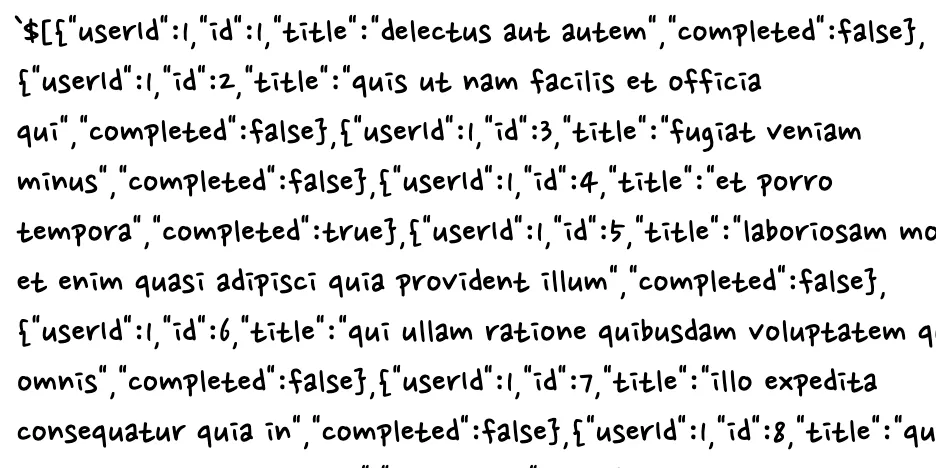
you can see it renders the result ui we wanted.
#But this left me wondering.🤔
How can Suspense detect that a child component is doing something asynchronous and show a fallback ui?
And how can it then show the component the developer wanted once the async work finishes?
I really wanted to know.
To give away the answer:
the child component throws the state of the async work (a Promise) at Suspense, and Suspense handles it internally.
I tried building something similar to the React component above using plain javascript code. (a guess)
#Building it in JavaScript (how it works)
const fetchData = () => {
  let status = "pending";
  let result, promiseErrorResult;

  let promiseResult = fetch("https://jsonplaceholder.typicode.com/todos")
    .then((response) => {
      if (!response.ok) {
        if (response.status === 404) {
          throw new Error(`bug in the request ${response.status}`);
        }
      }
       return new Promise((resolve) => {
        setTimeout(() =>{
          resolve(response.json());
        }, 2000);
      });
    })
    .then((data) => {
      status = "success";
      result = data;
    })
    .catch((error) => {
      status = "error";
      promiseResult = error;
      throw error;
    });

  return {
    read() {
      if (status === "pending") {
        throw promiseResult;
      } else if (status === "error") {
        throw promiseErrorResult;
      }
      return result;
    },
  };
};


const resource = fetchData();

function Child(flag){
    return console.log(resource.read());
}

async function suspense() {
    for (;;) {
        try {
          return Child();
        } catch (promiseProcess) {
          if (promiseProcess instanceof Promise) {
            console.log("✅ fallback ui loading....✅",promiseProcess)
            await promiseProcess;
          } else {
            throw promiseProcess;
          }
        }
    }
}

suspense();
The sequence
Suspense is called -> Child is called -> the current Promise (pending) state is thrown at suspense -> suspense, in its catch, shows the fallback ui & resumes the async work (fulfilled | rejected) -> handles it according to the result
The result
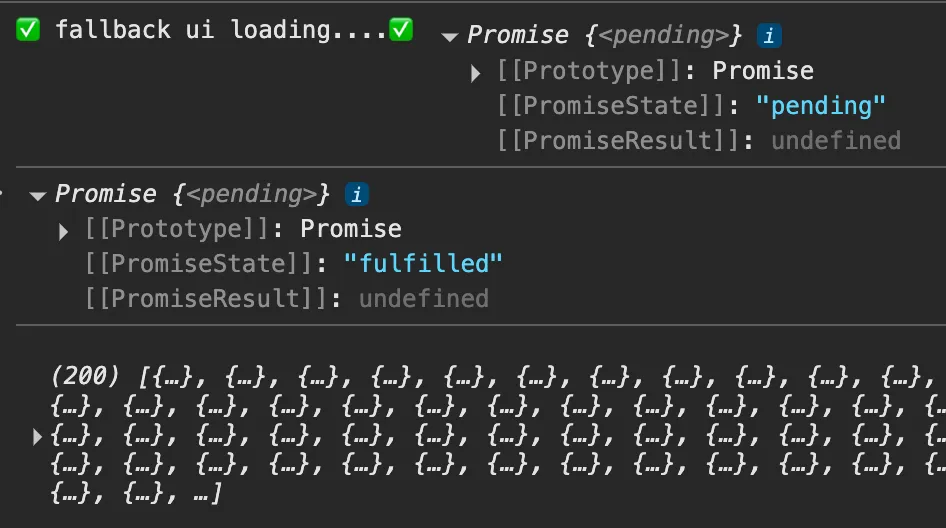
So it works by throwing plain JavaScript's async object, the Promise, and handling it in the nearest try/catch above the throwing function.
#Conclusion
Studying how Suspense works let me see async handling and its mechanics from a new angle.
Declarative programming arising from React's particular pattern that "async work must throw a Promise."
- Apparently this pattern is also commonly used in situations like these.
- Dynamic imports with React.lazy ( the component itself is loaded as a Promise, so Suspense shows a fallback ui )
-
The use hook ( calling something like use(fetch) in an RCC throws a Promise internally ) - Server components + streaming ( data is fetched asynchronously on the server while a fallback is shown )
References:)
https://mieszkogulinski.github.io/react-suspense-and-throwing-promise/